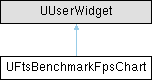
Widget that renders a benchmark measurement graph.
More...
#include <FtsBenchmarkFpsChart.h>
|
| FLinearColor | GetColorForFps (float Fps) const |
| | Calculate the color of an FPS data point on the plot.
|
|
|
FLinearColor | PlotLineColor = FLinearColor::Green |
| | Color of the fps plot (High FPS color if using gradient).
|
|
float | PlotThickness = 1.f |
| | Pixel thickness of the plot line.
|
|
EFtsFpsHistoryOverflowBehavior | HistoryOverflowBehavior = EFtsFpsHistoryOverflowBehavior::CutOff |
| | What to do if the plot has more data points than the displayed history.
|
|
int32 | HistoryLength = 200 |
| | Maximum number of data points to display.
|
|
bool | bUseColorGradient = false |
| | Draw the FPS plot with gradient between low and high values.
|
|
float | PlotColorLowFps = 15.f |
| | FPS points below this threshold will be colored with the Low FPS Color.
|
|
float | PlotColorHighFps = 60.f |
| | FPS points above this threshold will be colored with regular plot color.
|
|
FLinearColor | PlotLowFpsColor = FLinearColor::Red |
| | Color of low fps points.
|
|
FSlateFontInfo | GridLabelFont |
| | Font to use for grid labels.
|
|
FLinearColor | GridLineLabelColor = FLinearColor::Gray |
| | Color of chart labels.
|
|
FLinearColor | GridLineColor = FLinearColor(0.25f, 0.25f, 0.25f, 1.f) |
| | Color of chart lines.
|
|
float | GridLineThickness = 1.f |
| | Thickness of chart lines in pixels.
|
|
bool | bAutoAdjustGridMaxFps = true |
| | Whether to increase the max chart height based on the highest FPS.
|
|
int32 | GridMaxFps = 90 |
| | Maximum FPS to show at the top of the chart.
|
|
int32 | GridFpsStepSize = 30 |
| | Segmentation length of grid lines.
|
Widget that renders a benchmark measurement graph.
◆ GetColorForFps()
| FLinearColor UFtsBenchmarkFpsChart::GetColorForFps |
( |
float | Fps | ) |
const |
|
protected |
Calculate the color of an FPS data point on the plot.
- Parameters
-
| Fps | Frames per Second value |
- Returns
- Color based on FPS value
The documentation for this class was generated from the following files:
- Plugins/FtsBenchmark/Source/FtsBenchmark/Public/UI/FtsBenchmarkFpsChart.h
- Plugins/FtsBenchmark/Source/FtsBenchmark/Private/UI/FtsBenchmarkFpsChart.cpp

 1.15.0