 |
All in One Benchmark 1.0.0
Run Benchmarks in Unreal
|
|
All in One Benchmark 1.0.0
Run Benchmarks in Unreal
|
The plugin supports benchmarks tied to level sequences. To start, add a Benchmark Track to the sequence. 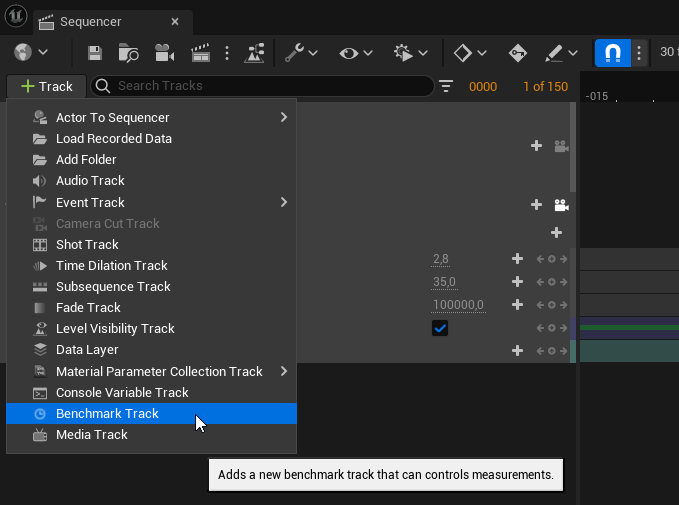
Then add a new section to the Benchmark track. This is the part that will actually be measured. 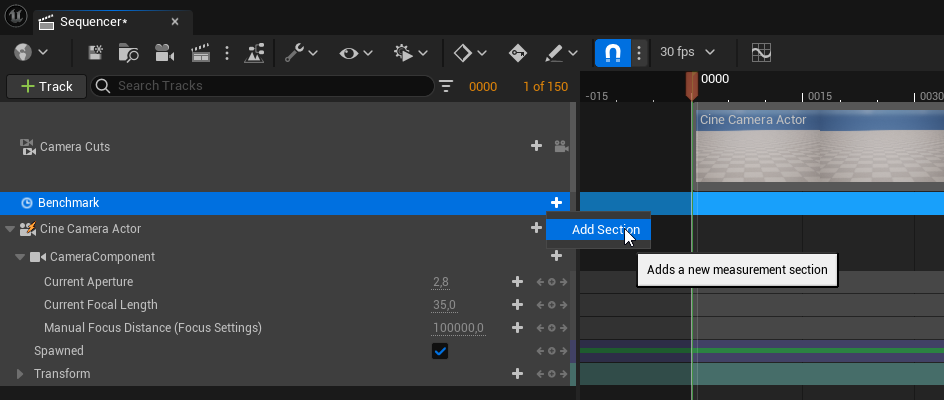
Right-click on the new section and name the new section by giving it a label. The track color will turn from red to blue. 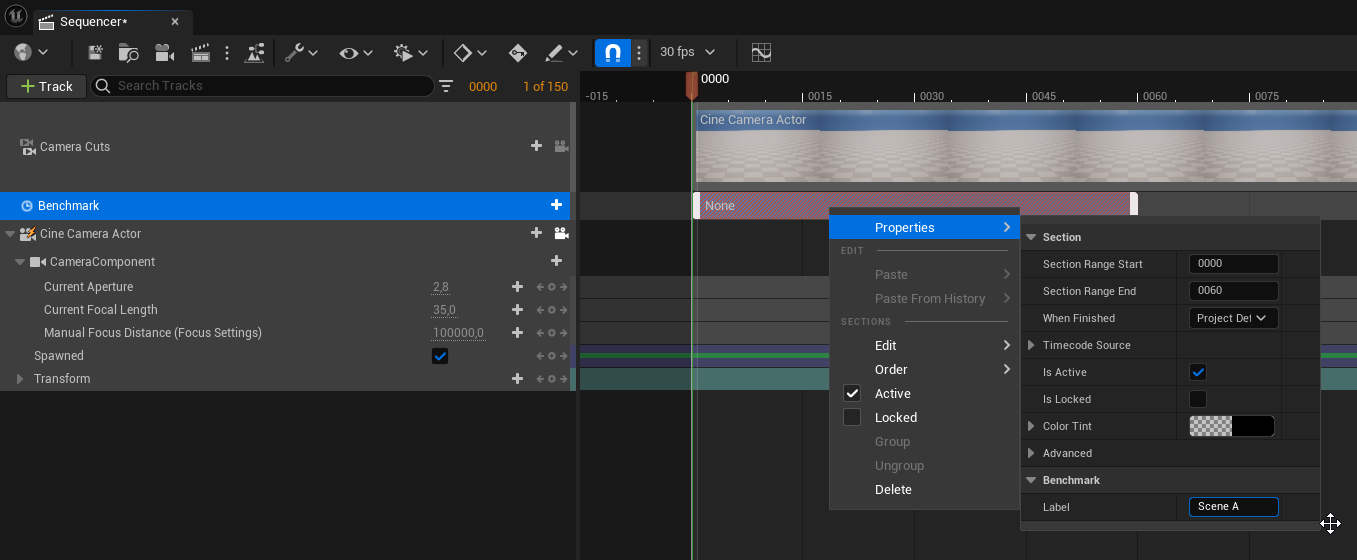
There can be multiple sections within the same sequence. This is useful if the sequence covers distinct areas. 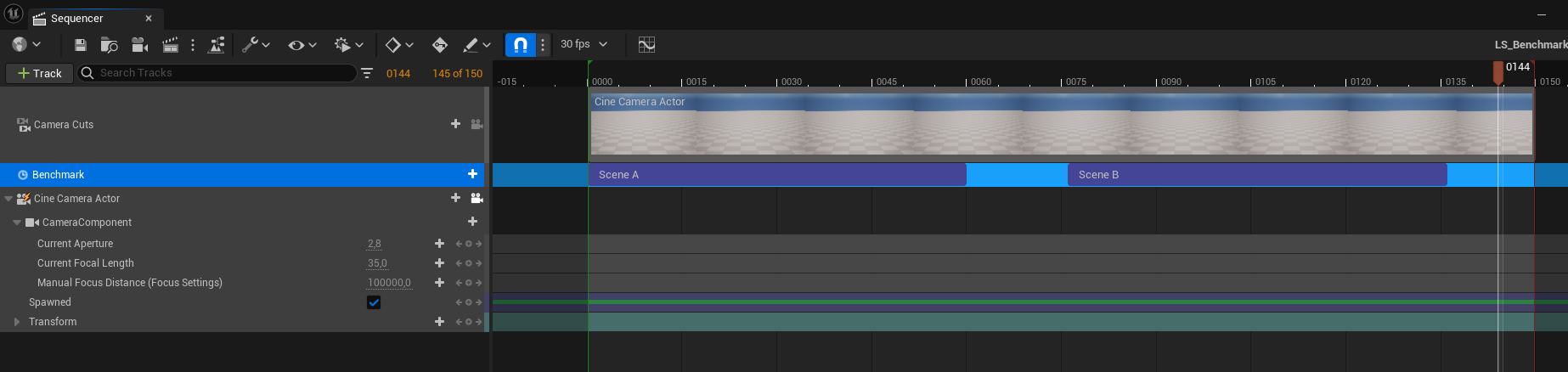
To measure a level sequence, either manually call Start and Stop Benchmark before and after playing the sequence or use a Benchmark Assets (Benchmark Asset).
 1.15.0