 |
All in One Benchmark 1.0.0
Run Benchmarks in Unreal
|
|
All in One Benchmark 1.0.0
Run Benchmarks in Unreal
|
The Benchmark batch subsystem enables the consecutive execution of multiple benchmarks. It requires the Benchmarks to be setup as Primary Assets first. To start a batch, call the Start Batch function and provide a list of benchmark asset ids.
The batch process will then load the Map of each benchmark, apply the quality preset and run it. Because of the potential map changes it is recommended to run batches from a persistent object, e.g. the game instance.
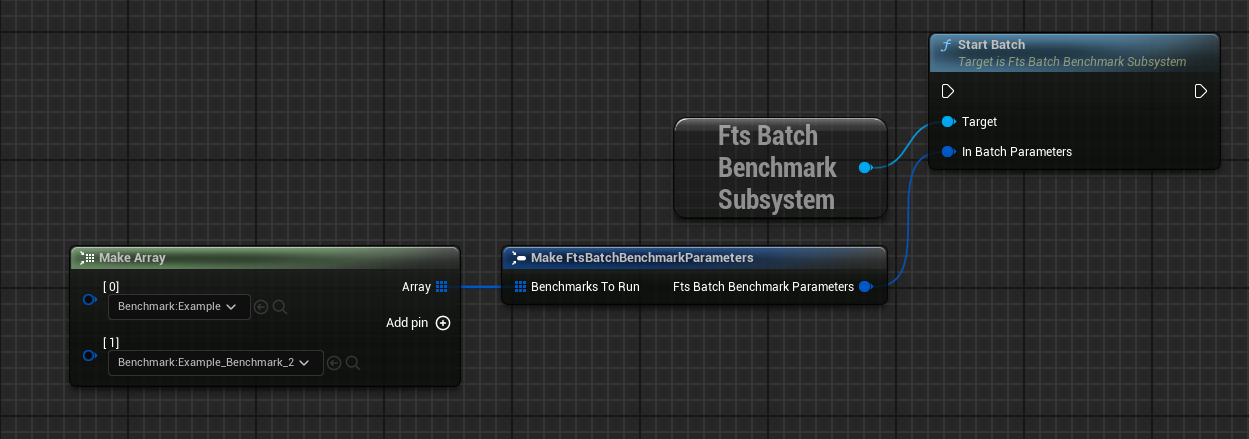
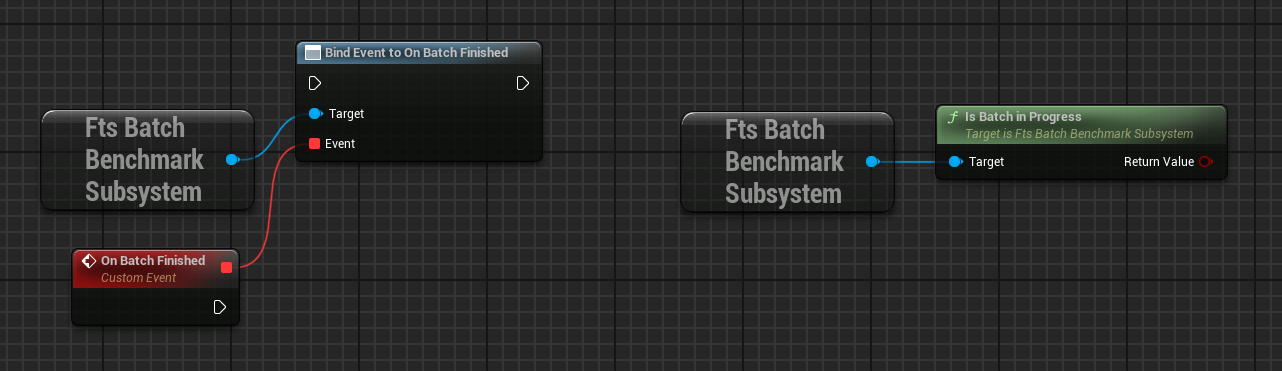
Since the process is running asynchronously the batch system exposes the On Batch Finished event to notify when it is finished. It's also possible to query whether it is still active by calling Is Batch In Progress.
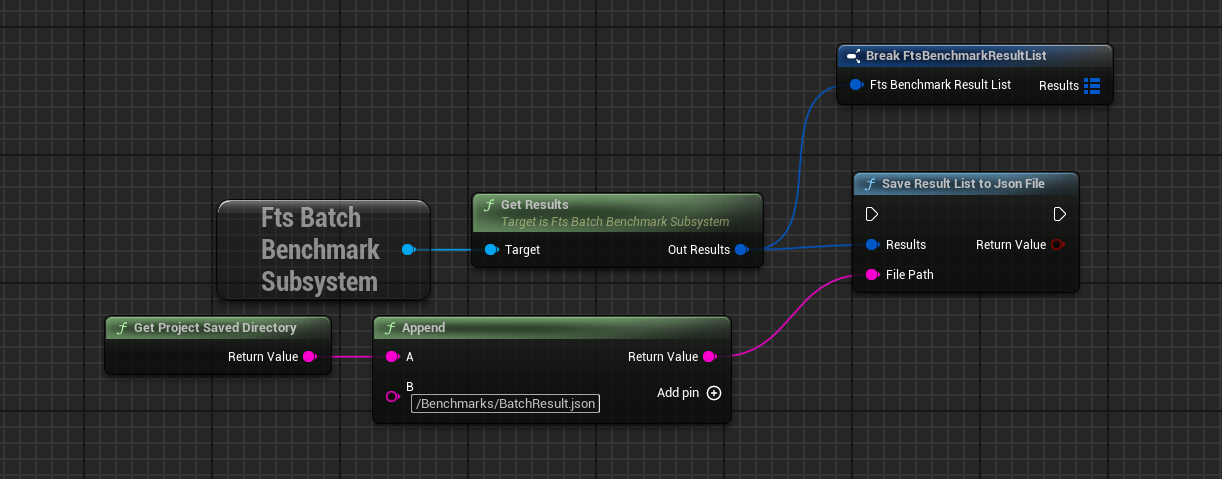
At the end the results can be queried with Get Results. The function returns a Map where the keys are the asset ids of the benchmarks and individual results as the values. Like single benchmarks it is possible to export everything as a JSON file with the Save Result List to Json File function.
Benchmarks can also be run through the command line, both for the editor and shipping builds.
The default behavior is to run all Benchmarks that can be found in the Primary Asset List and then quit. It can be further customized using these parameters:
| Parameter | Function | Example |
|---|---|---|
| NoBenchmarkQuit | Prevents the game from quitting after all benchmarks are finished | Project.exe -NoBenchmarkQuit |
| Benchmarks | Specify which benchmarks to run, using primary asset names | Project.exe -Benchmark=DA_Benchmark_1,DA_Benchmark_Low |
| SaveBenchmarkResults | Saves the results as JSON after finishing | Project.exe -SaveBenchmarkResults |
| ResultSavePath | File path to save results to (relative to project saved directory, defaults to Benchmarks/Report_CurrentDate.json) | Project.exe -ResultSavePath=Benchmarks/CustomRunResult.json |
 1.15.0