 |
All in One Benchmark 1.0.0
Run Benchmarks in Unreal
|
|
All in One Benchmark 1.0.0
Run Benchmarks in Unreal
|
Running a Benchmark is easy. The first method starts the benchmark and the second begins a measurement with a given label.
The system will now record every frame until the active measurement is ended with Stop Measurement. At this point another measurement can be started or the Benchmark can be ended with Stop Benchmark. 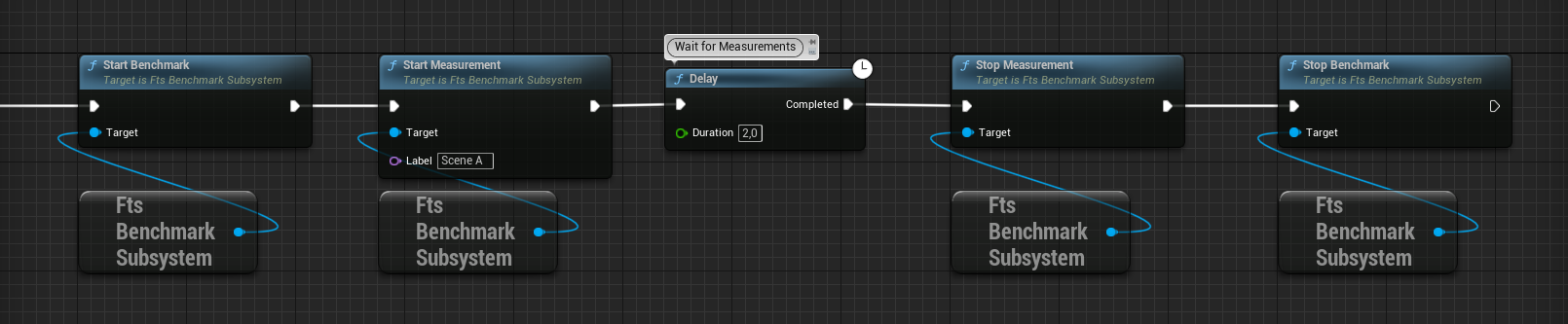
Get Active Measurement returns the data currently being recorded. The Return Value is false if there is no benchmark in progress. 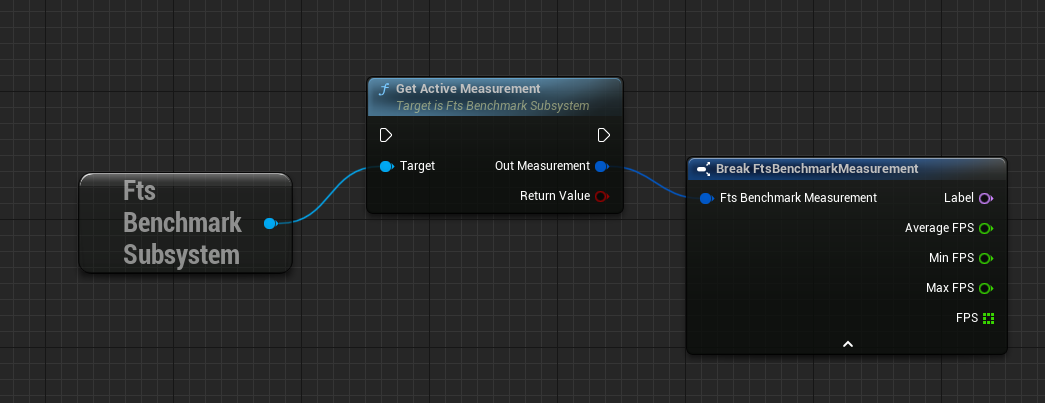
After the benchmark has finished the results can be queried from the system. 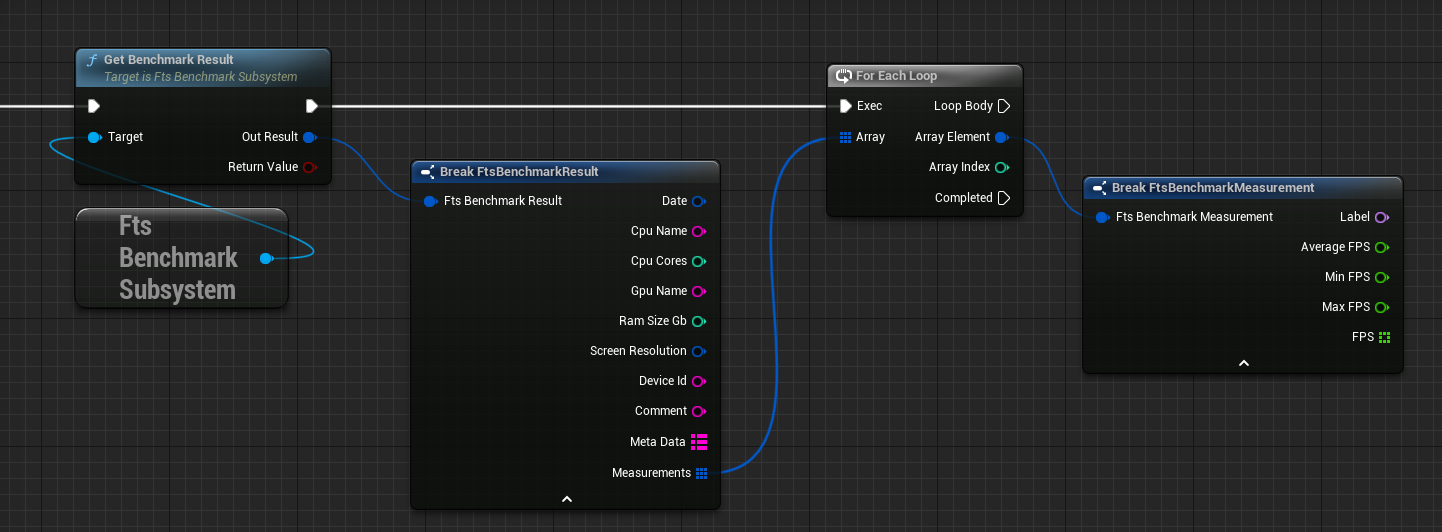
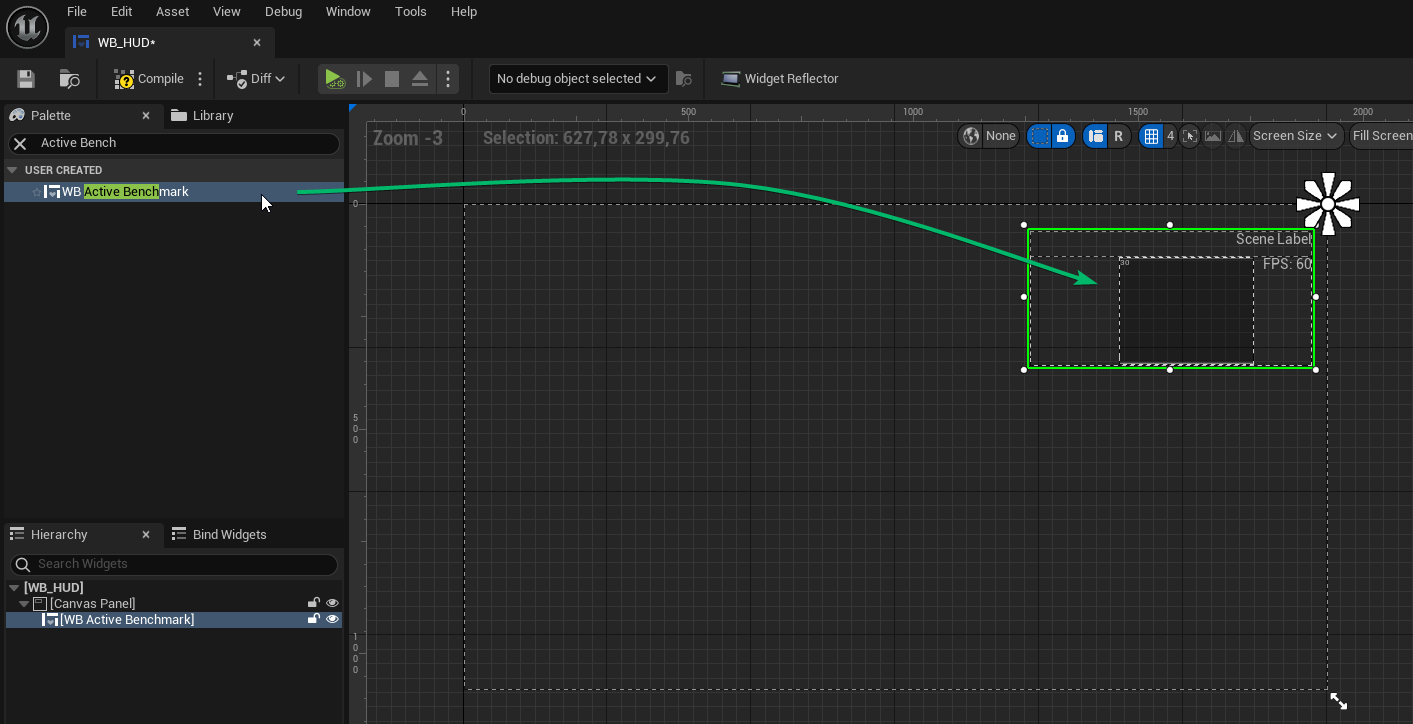
The fastest way to show benchmark results is to add the WB_ActiveBenchmark widget to the hud. The widget will automatically fade in and out when a benchmark is running.
 1.15.0